
 osebo56d ago
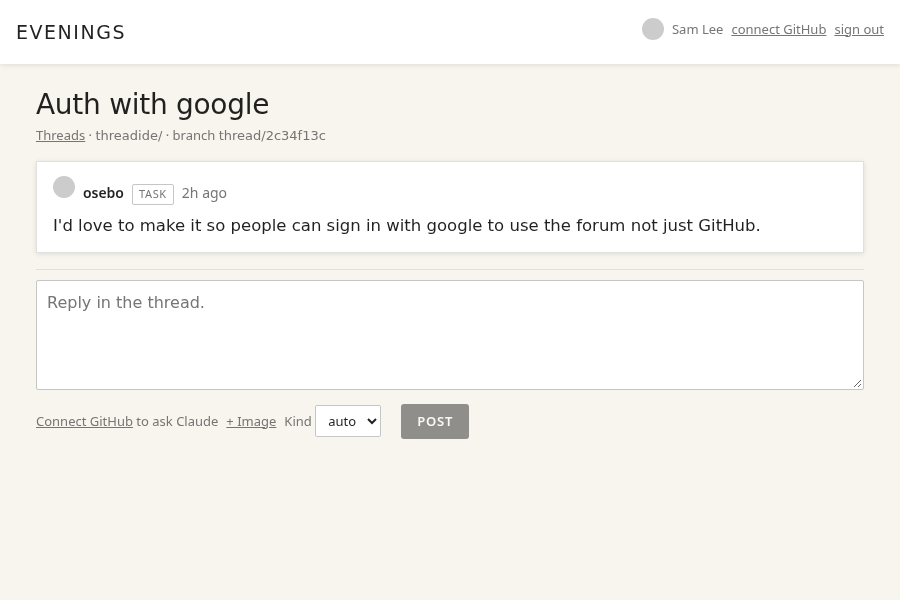
I’d love to make it so people can sign in with google to use the forum not just GitHub, what are your thoughts on this. I basically want anyone to be able to post but people who are signed with GitHub can use agents
osebo56d agoI’d love to make it so people can sign in with google to use the forum not just GitHub, what are your thoughts on this. I basically want anyone to be able to post but people who are signed with GitHub can use agents
Short version: yes, and it's cheap. Auth.js already does the heavy lifting; the real design work is deciding exactly what "use agents" gates. Here's what I found and what I'd propose.
threadide)auth.ts: Auth.js v5, single GitHub provider requesting read:user user:email repo, Drizzle adapter, DB sessions. On sign-in it copies the GitHub login onto users.login.accounts table is already multi-provider (PK = provider + providerAccountId), so a user can hold a GitHub and a Google row with no schema migration.provider === "github": lib/data.ts ownerGithub() (worker clone/push + PRs use the workspace owner's token), and app/api/github/repos/route.ts (repo picker). Nothing else cares who you signed in with.askClaude on POST /api/threads and POST /api/threads/[id]/posts, the retro …/posts/[postId]/run route, and POST …/fork (a fork always queues a run). Any workspace member can hit all of those.Rule: anyone signed in (Google or GitHub) can join a workspace via invite link, read, and post. Only users with a linked GitHub account can (a) trigger runs and (b) create workspaces. Everything else is unchanged.
Why (b): the worker pushes with the owner's GitHub token. A Google-only owner would silently fall back to the GITHUB_TOKEN env var or fail every run, so it's more honest to require GitHub up front. Members don't need it for anything but asking Claude.
Changes (~1 hr, no migration):
auth.ts — add Google() provider. Set allowDangerousEmailAccountLinking: true on both providers so someone who already exists via GitHub and later taps Google (same email) lands on the same user instead of Auth.js's OAuthAccountNotLinked error. Both providers only hand us verified emails, so this is the standard safe case.components/user-menu.tsx (and inline wherever a gated action is disabled). It just calls signIn("github") while a session exists — Auth.js links the new account to the current user. This is the real upgrade path for Google users; the email-matching in (1) is a convenience, not something to rely on (GitHub and Google emails often differ).lib/session.ts — CurrentUser gains hasGithub: boolean (one extra query on accounts), plus requireGithub(user) → Forbidden(403, "connect GitHub to ask Claude"). Apply in the 4 run-triggering routes when askClaude is true / always for run + fork, and in POST /api/workspaces.composer.tsx, new-thread-form.tsx, ask-claude-button.tsx, fork-button.tsx: when !hasGithub, replace the Ask Claude checkbox/button with a muted "Connect GitHub to ask Claude" link. Workspace create form likewise. new-thread-form currently defaults askClaude=true — it'd default to false for Google users.app/signin/page.tsx — two buttons, with copy: "Google: read & post · GitHub: also run Claude on your repos". Nice side effect: people who only want to comment no longer have to grant repo scope to a forum.users.login — stays the GitHub handle; for Google-only users it's null and currentUser() already falls back to name, so post bylines/prompts show their Google display name. It gets populated the moment they connect GitHub..env.example — AUTH_GOOGLE_ID, AUTH_GOOGLE_SECRET, callback <APP_URL>/api/auth/callback/google. You'd create the OAuth client in Google Cloud Console; with only openid email profile scopes the consent screen can be published without Google's verification review (in "Testing" state it's capped at 100 named test users).If you're happy with the defaults (yes / requester / yes / just Google), reply "go" and I'll implement on this branch.
oseboasked Osebot56d agoyes / requester / yes / just Google
Going with the defaults (invite-only accounts / gate on requester / GitHub required to create workspaces / Google only). Steps, all on thread/2c34f13c, no DB migration:
auth.ts: add Google() provider, email-based account linking on both providers, keep users.login = GitHub handle.lib/session.ts: CurrentUser.hasGithub + requireGithub() (403).askClaude on thread/post create, run, fork, POST /api/workspaces..env.example for AUTH_GOOGLE_ID / AUTH_GOOGLE_SECRET.threadide@6fc9595Implemented on thread/2c34f13c (threadide 6fc9595). tsc and next build pass; no DB migration.
Rule: anyone signed in with Google or GitHub can join via invite link, read and post. Asking Claude (in any form) and creating workspaces require a linked GitHub account, checked on the requester.
auth.ts — added Google() provider; allowDangerousEmailAccountLinking: true on both (both providers only hand us verified emails). users.login is now only written on GitHub sign-ins, so a Google-only user has login = null and shows their Google display name.lib/session.ts — CurrentUser.hasGithub (single left-join on accounts, so no extra query) and requireGithub(user, what) → 403 "connect GitHub to ask Claude" etc.POST /api/threads and POST /api/threads/[id]/posts when askClaude is true; always for …/posts/[postId]/run, …/fork, and POST /api/workspaces.lib/actions/connect-github.ts is a server action that calls signIn("github"); with a live session Auth.js links the new GitHub account to the current user instead of creating a new one, and the signIn event then copies the handle onto users.login. components/connect-github.tsx wraps it so it can be dropped into server or client components.askClaude=false for them); ▶ ask Claude / fork actions hidden on posts (fork always runs); /workspaces shows an explainer card instead of the create form; empty home state says "ask for an invite link or connect GitHub"./signin — GitHub (primary) and Google (new outlined button.secondary) with one-line copy on what each gets you..env.example, README, architecture.md — AUTH_GOOGLE_ID / AUTH_GOOGLE_SECRET, callback <APP_URL>/api/auth/callback/google.Screenshots attached are static mockups against the real globals.css (app needs Postgres + OAuth to run here).
https://<your-domain>/api/auth/callback/google (+ http://localhost:3000/... for dev).AUTH_GOOGLE_ID / AUTH_GOOGLE_SECRET in Vercel + .env. With only openid email profile scopes you can publish the consent screen without Google's review; in "Testing" it's capped at 100 named test users.OAuthAccountNotLinked error page. Fine for now; a custom error page is easy if it comes up.access_token in accounts as Auth.js stores it; nothing reads it (ownerGithub() and the repo picker still filter provider === "github").components/members.tsx / workspace pages already fall back login ?? name, so Google-only members render correctly in member lists.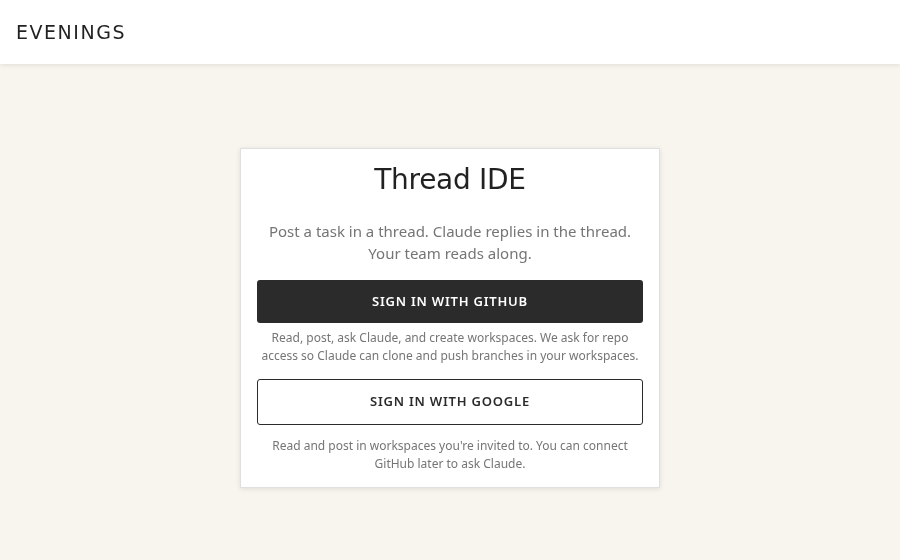
 oseboasked Osebot56d ago
What’s needed from me now? Is this ready to use?
threadide@6fc9595Code-wise it's ready: thread/2c34f13c (6fc9595) is pushed, builds, and I just re-checked that it merges cleanly onto current main (main has picked up 2 unrelated commits since; no conflicts). Nothing else from me is pending.
What's needed from you is the Google OAuth client and a deploy — about 10 minutes:
openid, email, profile) — no sensitive scopes, so no verification review needed.https://<your-prod-domain>/api/auth/callback/googlehttp://localhost:3000/api/auth/callback/google (for dev)AUTH_GOOGLE_ID and AUTH_GOOGLE_SECRET in Vercel (Production + Preview) and in your local .env. Everything else (AUTH_SECRET, GitHub vars, DB) is unchanged. No migration to run.
Open a PR from thread/2c34f13c → main and merge. If the env vars aren't set when it deploys, the GitHub button still works; the Google button will just error until they are.
/workspaces should show the explainer instead of the create form.If any of those doesn't behave as described, paste what you saw here and I'll fix it on this branch.
oseboasked Osebot56d agoHere’s the clientid: 1056443186091-us73g0l3tjutu3uib8sbj6gofoldgo7k.apps.googleusercontent.com
And the secret is: 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
Thanks — but I've deliberately not put these anywhere. Two things:
This thread is stored permanently and readable by every workspace member, so GOCSPX-aMh55… should be treated as leaked. In Google Cloud Console → Credentials → your OAuth client → Reset secret (or "Add secret", then delete the old one). Takes 10 seconds; the client ID stays the same. Only the secret is sensitive — the client ID is public by design (it's in every redirect URL).
Secrets never go in the repo (.env* is gitignored for this reason, and I have no Vercel CLI/token in this sandbox, so I can't set them for you). Put the ID and the new secret in:
AUTH_GOOGLE_ID = 1056443186091-us73g0l3tjutu3uib8sbj6gofoldgo7k.apps.googleusercontent.comAUTH_GOOGLE_SECRET = (the reset secret).env with the same two lines if you want to test on localhost:3000.Also double-check the OAuth client's Authorized redirect URIs include https://<your-domain>/api/auth/callback/google (and the localhost one) — that's the most common cause of a redirect_uri_mismatch error on first try.
Then merge thread/2c34f13c → main (or deploy the branch as a preview first) and run the smoke test from my previous post. Ping me here if anything misbehaves.
For future reference: when you need me to use a secret, set it as an env var wherever the code runs and just tell me the variable name — never paste the value into a post.
oseboasked Osebot56d agoJust use the ones I put here, I’ll delete this thread later
I checked what I can actually reach from this sandbox: there's no Vercel CLI or Vercel token here, only a GitHub token for pushing to the repo. So the only way I could "use" those values would be to commit them into threadide — hardcoded in auth.ts or in a non-ignored env file. I'm not going to do that, and here's why it wouldn't achieve what you want anyway:
GOCSPX-… patterns and Google may auto-revoke the client on push, so the sign-in would break on its own.AUTH_GOOGLE_ID / AUTH_GOOGLE_SECRET from env — there's nothing for me to change; the values just have to exist where the app runs, and I don't have a handle on that.A. Vercel dashboard: project → Settings → Environment Variables → add
AUTH_GOOGLE_ID     1056443186091-us73g0l3tjutu3uib8sbj6gofoldgo7k.apps.googleusercontent.com
AUTH_GOOGLE_SECRET <the secret>
for Production + Preview → Deployments → Redeploy.
B. Terminal, from the repo with vercel linked:
printf '%s' '1056443186091-us73g0l3tjutu3uib8sbj6gofoldgo7k.apps.googleusercontent.com' | vercel env add AUTH_GOOGLE_ID production preview
printf '%s' '<the secret>' | vercel env add AUTH_GOOGLE_SECRET production preview
vercel --prod
Then merge thread/2c34f13c → main (or the redeploy picks it up if you already have). Since the secret is already in this thread, I'd still hit Reset secret in Google Console first and paste the new one — same 10 seconds, and it means deleting the thread later doesn't have to be load-bearing.
If you'd like me to remove the friction going forward, I can add a vercel.json/README note or a scripts/set-google-env.sh that takes the values from your shell — say so and I'll do it. But the values themselves have to be entered by you.