 osebo30d ago
Can you make a high contrast black and white theme?
osebo30d agoCan you make a high contrast black and white theme?
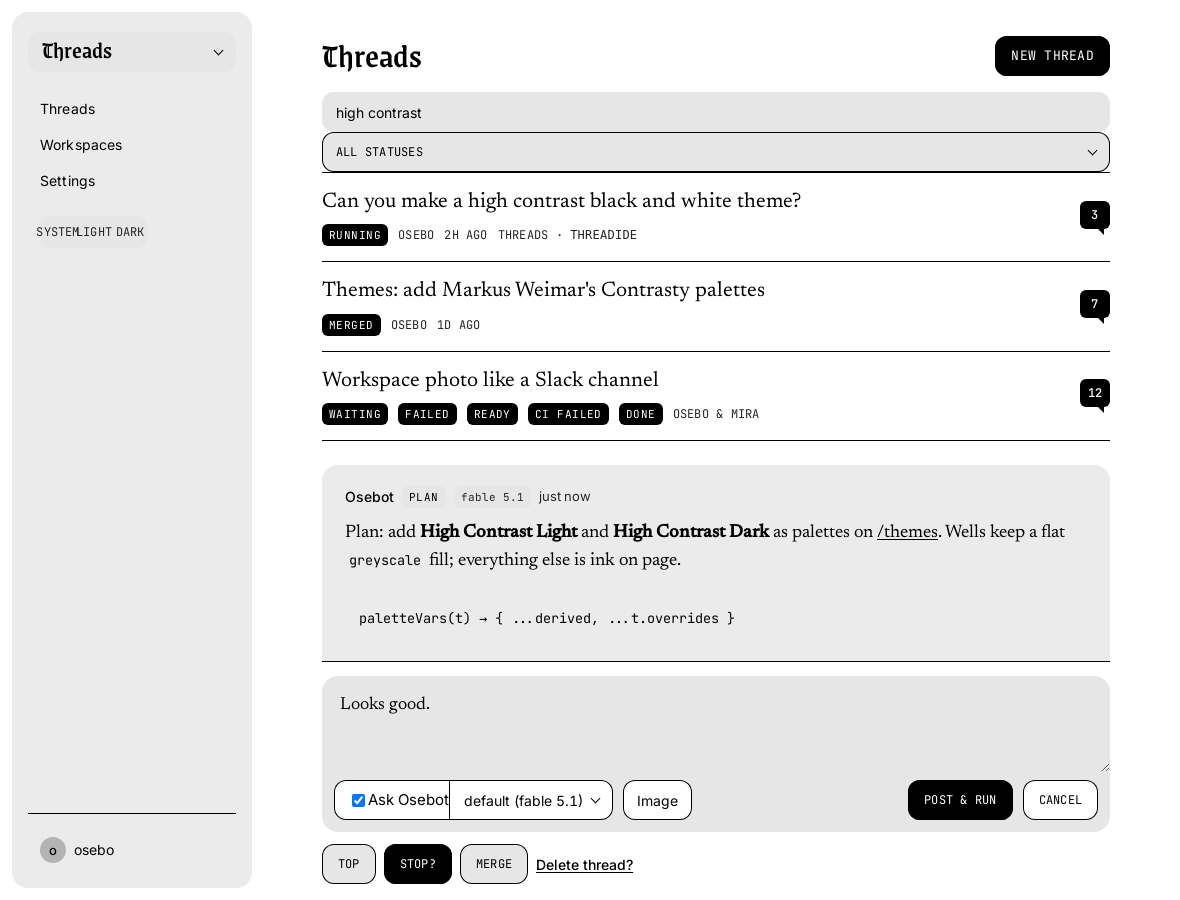
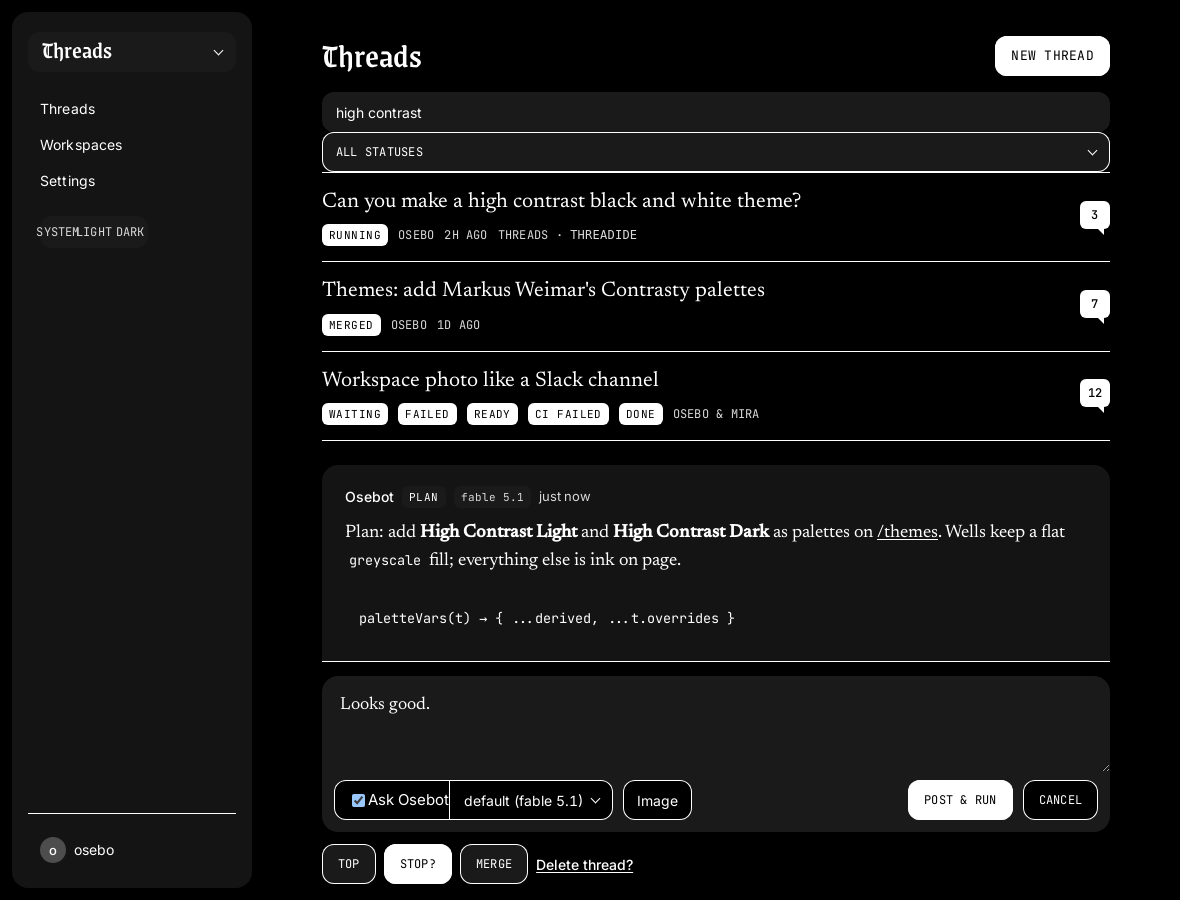
Plan: add High Contrast Light and High Contrast Dark as palettes on /themes (pickable per browser or saved for a workspace like every other scheme), so nothing new is needed in the UI.
How:
lib/terminal-themes.ts: give TerminalTheme an optional overrides map of CSS custom properties, applied after paletteVars()'s generic mapping. The generic mapping turns the foreground into alphas (grey text, grey hairlines, soft shadows, glossy buttons), which is exactly what a high-contrast theme must not do.lib/terminal-themes.extra.ts: two entries (hc-light: black on #fff, hc-dark: white on #000) whose overrides pin text/muted/faint to the ink, every hairline and control ring to solid ink, all status cues (running/waiting/merged/failed/ready/danger/link) to ink-on-page, and strip the glass shine + drop shadows (flat 1px rings instead). Wells (inputs, panels, code) keep a light greyscale fill since they have no frame token, so that is the one place grey survives.threadide@3b95390Done: High Contrast Light and High Contrast Dark are on /themes (family "High contrast"), pickable for this browser or saved for a workspace like any other palette. Pushed to thread/65f45028, PR description written.
What the theme does:
--muted 15:1, --faint 8.5:1, so a little hierarchy survives, nothing reads as disabled).How: TerminalTheme gained an optional overrides map that paletteVars() spreads last (lib/terminal-themes.ts), and lib/terminal-themes.extra.ts has a highContrast(bg, fg) helper feeding the two entries. Gallery swatches got an inset hairline so the white/black squares show on a tile of the same colour.
Verified with tsc and a static mockup of the real stylesheet at 1180px and 390px (screenshots attached). I could not run the live /themes page in the sandbox; the tile preview uses the same paletteVars(), so it should match. If you'd rather the wells be framed in ink too (Windows-high-contrast style), that needs a small CSS hook on inputs/panels; say the word.
Merged threadide #150 by @osebo (merge, 15a070d).