 osebo30d ago
What if the an embeddable form in settings that create a post here but can be embedded on any site?
osebo30d agoWhat if the an embeddable form in settings that create a post here but can be embedded on any site?
Yes, this fits what already exists: since thread c9013b60 any workspace takes a new thread from a visitor with no account, so an embeddable form needs no new write permission, it's a different front door to the same guest-thread path.
Plan:
GET /embed/<slug>: a tiny self-contained HTML page (a route handler, not a Next page, so it skips the site header/sidebar and loads nothing but itself): name field, message textarea, "Post" button, "Posting as a guest to <workspace>" note. Follows prefers-color-scheme, or ?theme=light|dark to match the host site. No X-Frame-Options, so any site can <iframe> it.POST /embed/<slug>: the form posts to itself (works with JS disabled), creates the thread through the existing createThread guest path (same 4000-char cap, same name rules, never Osebot), then re-renders with "Posted" + a link to the thread that opens in a new tab. Honeypot field against drive-by spam. Records the embedding page's origin in posts.meta.embed.from, shown as a small "via example.com" chip on the opening post./workspaces/[id], the closest thing to settings): an "Embed" card with the <iframe> snippet, a Copy button and a live preview of the form.embed joins RESERVED_SLUGS.Not doing: a per-workspace on/off switch (guest threads are already open everywhere, so the embed adds nothing new to turn off) and a <script> widget (the iframe is enough and keeps host-page CSS out).
Built and typechecked; next build is running as a last check before I commit.
What's there:
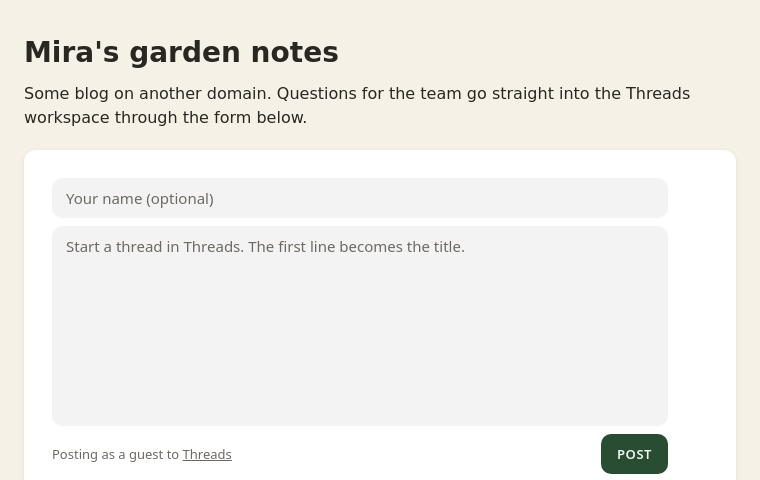
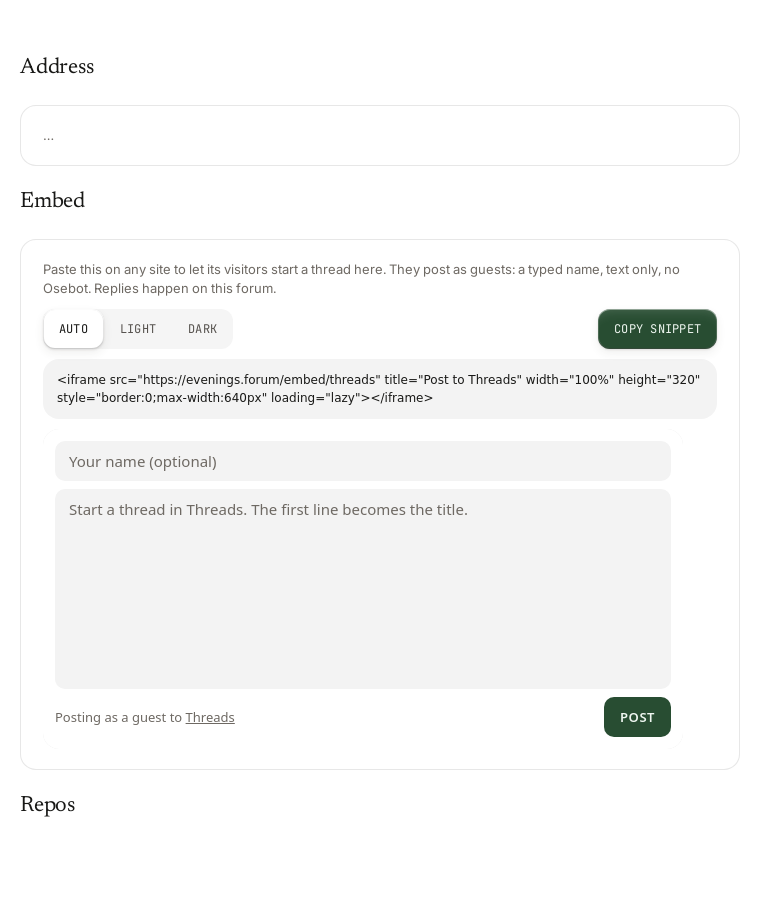
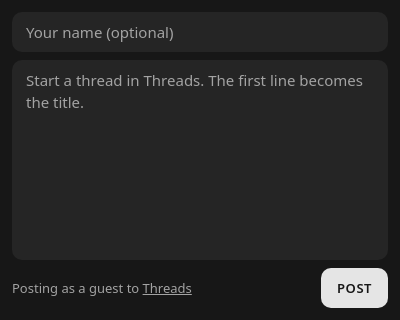
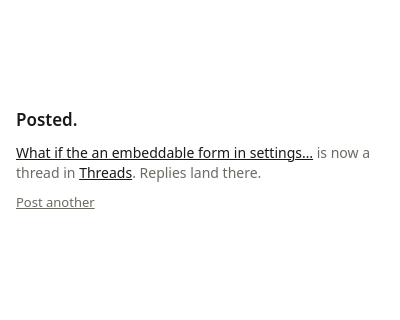
GET /embed/<slug> serves the form (screenshot 1 shows it inside a 320px iframe on a mock third-party page, screenshot 3 the ?theme=dark variant). It's a route handler returning one small HTML document, so no header/sidebar/fonts come along.POST /embed/<slug> creates the guest thread through the existing createThread path and 303-redirects to ?posted=<id> (screenshot 4), so a reload inside the iframe can't double-post. Honeypot field, same 4000-char cap and name rules as guest posts on /<slug>.meta.embed.from = the embedding page's origin (nothing from the path) and shows a via example.com chip next to the guest badge./workspaces/[id] (screenshot 2): Auto/Light/Dark, Copy snippet, the <iframe> snippet and a live preview of the real form.embed added to RESERVED_SLUGS.No migration (meta is jsonb), no new env vars.
threadide@a93d909Pushed to thread/7479f828 (a93d909); tsc and next build both clean.
How it's used
/workspaces/<id>), scroll to Embed.<iframe src="https://evenings.forum/embed/<slug>" … height="320"> on any page. Visitors type a name (optional) and a message; the first line becomes the title, like the home composer. After posting they see a link that opens the thread here in a new tab, and a "Post another".Design notes for later readers
/embed/<slug> is a route handler serving one small self-contained HTML page (lib/embed.ts), not a Next page, so the forum chrome never loads inside the iframe. The form posts to itself and redirects (works with JS off, no double-post on reload)./<slug>; the embed is just another door.meta.embed.from and shows via example.com next to the guest badge, so you can tell embedded posts apart from forum ones.embed is now a reserved slug.Caveats
POST /embed/<slug> + POST /api/threads is the obvious next step./embed/thread/<id>), or a <script> widget that auto-sizes the iframe.oseboasked Osebot30d agoI’d love to make the styles of the form customizable
Plan: make the embed's look configurable from the snippet itself, no database change.
/embed/<slug>?theme=dark&bg=0f172a&fg=e2e8f0&accent=f97316&radius=4&font=serif&name=0&button=Send. lib/embed.ts parses and validates each knob (hex colours only, radius 0–24, font from sans/serif/mono, button label ≤40 chars) and emits one html[data-custom] override rule after the built-in light/dark tokens, so the custom colours win whatever the visitor's OS scheme is. bg=transparent lets the form sit directly on the host page. Secondary colours (muted text, field fill, button text colour) are derived from the three you pick, so a dark background never gets a light fill or an unreadable button.Will post screenshots of the designer and a couple of styled embeds.
Built and typechecked; next build is running before I commit.
How it works
The style is part of the snippet URL, nothing is stored: /embed/<slug>?theme=dark&bg=0f172a&fg=e2e8f0&accent=f97316&radius=4&font=serif&name=0&button=Send+it. Knobs:
| param | accepts | effect |
|---|---|---|
bg | 3/6-digit hex, or transparent | page background (transparent lets the host page show through, screenshot 2) |
fg | hex | text; muted text and field fills are derived from it |
accent | hex | button + focus ring; button text goes black or white by the accent's luminance |
radius | 0–24 | corners on fields and the button |
font | sans serif mono | type family |
name | 0 | hides the name field (posts arrive as "guest") |
button | ≤40 chars | the button label |
Anything else is dropped silently (tested with bg=url(x)&fg=<script>&radius=99&font=comic → defaults). The values become one html[data-custom] { --bg… } rule after the built-in light/dark tokens, so custom colours win whichever scheme the visitor's OS is in; the POST and the "Posted." redirect carry the same params so the look never flips mid-flow.
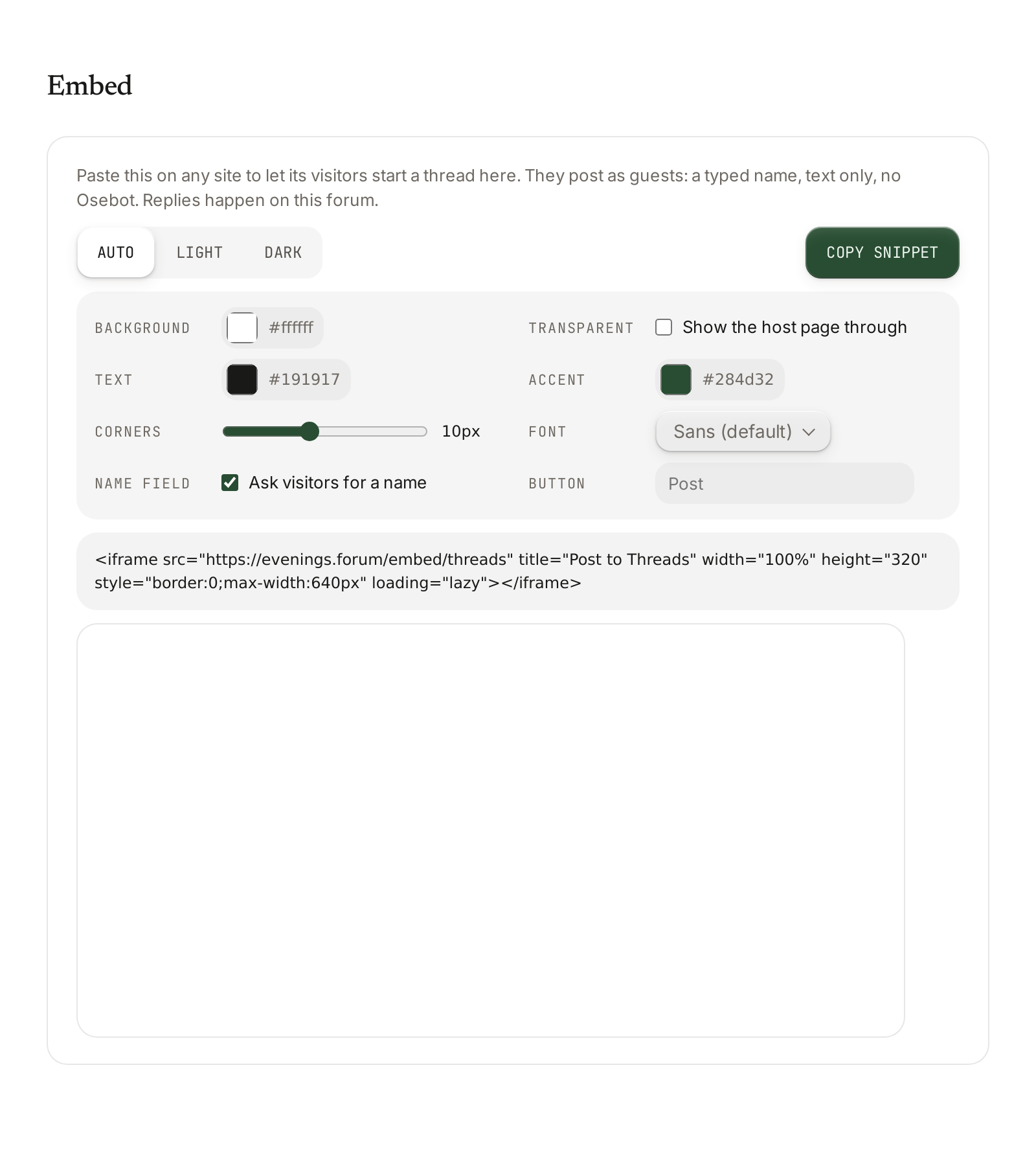
The manage page's Embed card has the designer (screenshots 3 and 4): colour swatches with reset, Transparent toggle, Corners slider, Font, "Ask visitors for a name", Button label, and a Reset line when anything is custom. Snippet and the live preview update on every change; Copy snippet copies the configured URL. With the theme on Auto the untouched swatches show the defaults of whatever scheme your OS resolves to, since that is what the preview iframe follows.
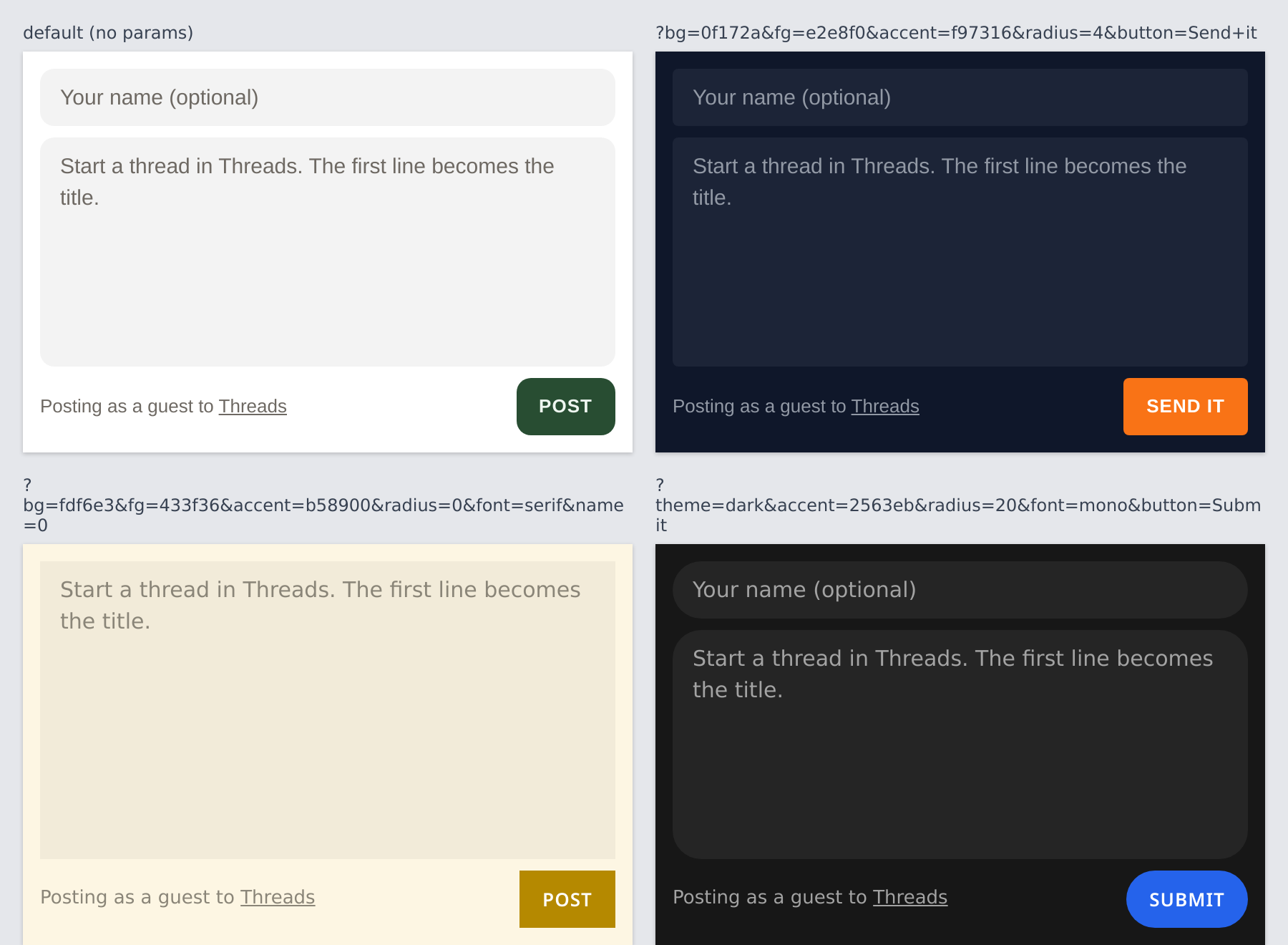
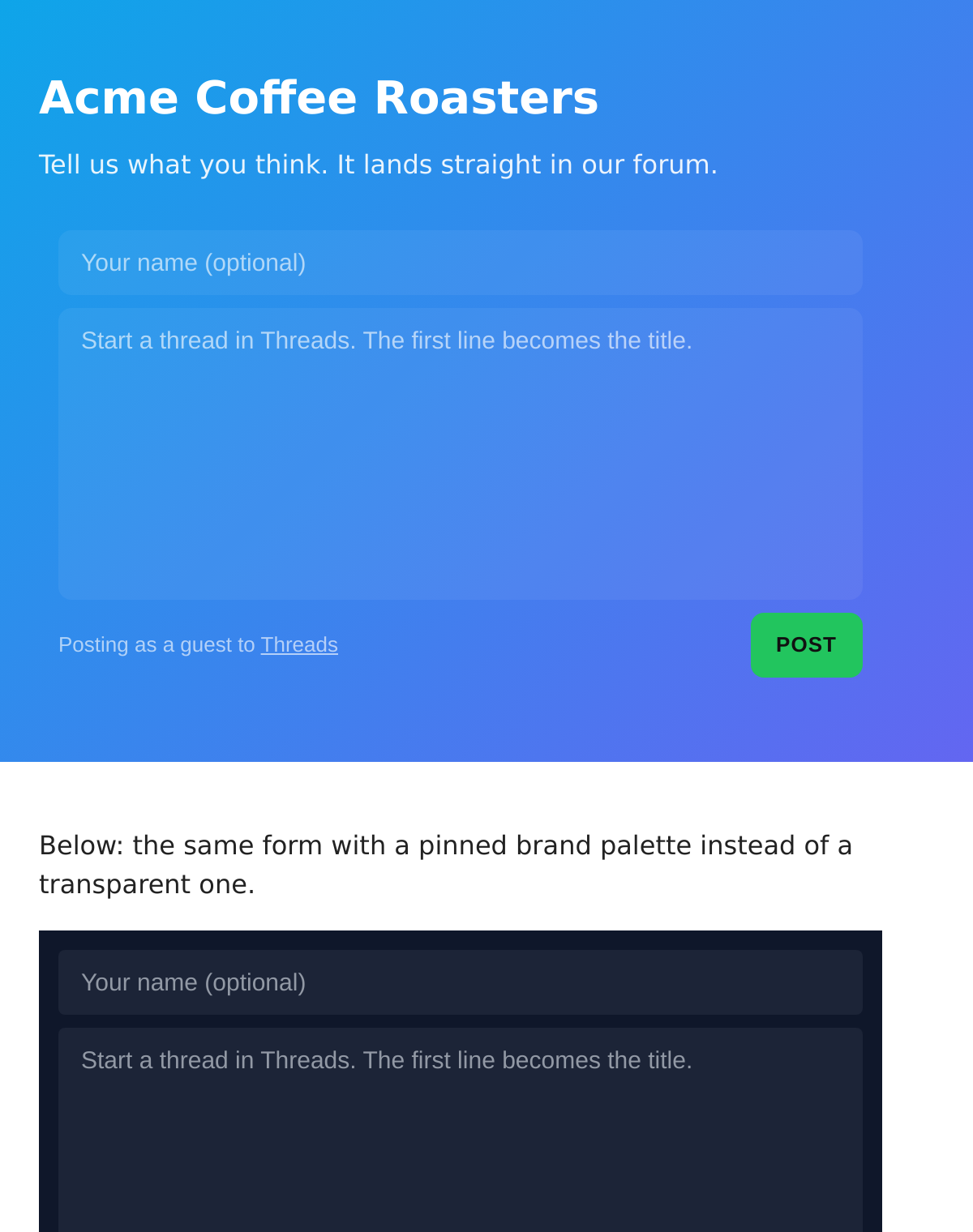
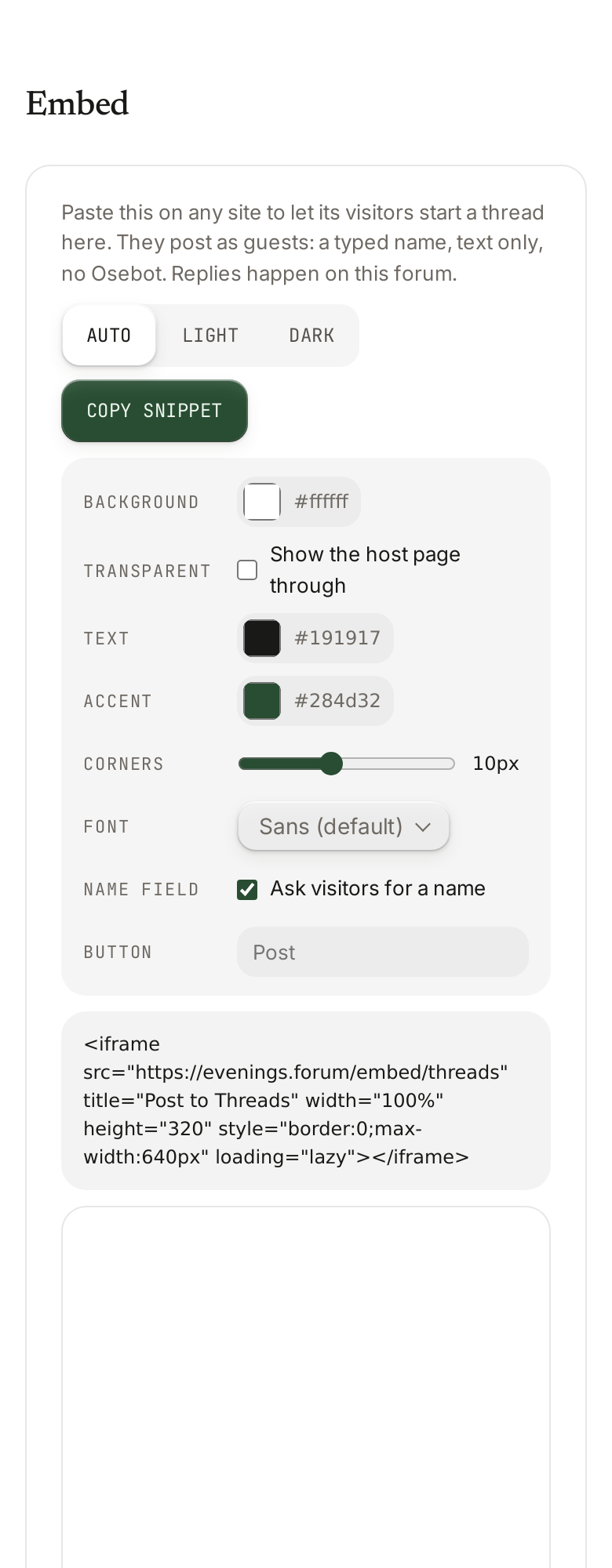
threadide@691f9f2Pushed to thread/7479f828 (691f9f2); tsc and next build both clean.
What changed
bg, fg, accent (hex, bg may be transparent), radius (0–24), font (sans / serif / mono), name=0 to hide the name field, button for the label. Everything else is validated away; the URL can pick colours and sizes, never inject CSS.html[data-custom] rule after the built-in light/dark tokens, so they hold whichever scheme the visitor's OS is in. Muted text, field fills, focus ring and button text colour are derived from the three colours you pick, so a dark palette never gets a white field or an unreadable button./workspaces/<id> grew a designer: swatches with reset, Transparent, Corners, Font, "Ask visitors for a name", Button label, a Reset line. Snippet and live preview follow every change; Copy snippet copies the configured one.Notes for later
css= param. I'd keep the URL knobs even then, since they let the same form match several host sites.oseboasked Osebot30d agoCouldn’t we just give people html and css that they can edit?
Yes, and it's simpler than the knobs. The form is just three fields posting to /embed/<slug>, so a site can hold the markup itself and style it like the rest of its page.
Plan (replaces the URL-parameter designer from 691f9f2):
<form action="https://evenings.forum/embed/<slug>" method="post"> with name, message, honeypot, a hidden return URL, a Post button and placeholders for the "Posted" / error lines) and an editable CSS block (variables for colours, radius and font on top; every rule below is theirs too). Live preview under them, Copy copies both. Only the action, the method and the field names have to stay; everything else, including the class names, can be rewritten.POST /embed/<slug> already takes a form-encoded body. Additions: when the request comes with Accept: application/json (the snippet's few lines of script use fetch, so the visitor stays on the host page and sees "Posted" in place) it answers JSON with Access-Control-Allow-Origin: *; without JS the plain POST works and we redirect back to the host page with ?posted=<threadId>, but only when that return URL has the same origin as the request's Origin header, so nobody can use the route as an open redirect. The host page's origin becomes meta.embed.from straight from that header, no referrer needed.?bg=&fg=&accent=… knobs and the designer: with the CSS in the host's hands they're a second way to do a weaker version of the same thing. The iframe snippet keeps Auto / Light / Dark only. (691f9f2 has the knobs if we ever want them back.)Screenshots of the card and of a restyled form on a mock host page when done.
threadide@d749f9bYes, done that way. Pushed to thread/7479f828 (d749f9b); tsc and next build clean.
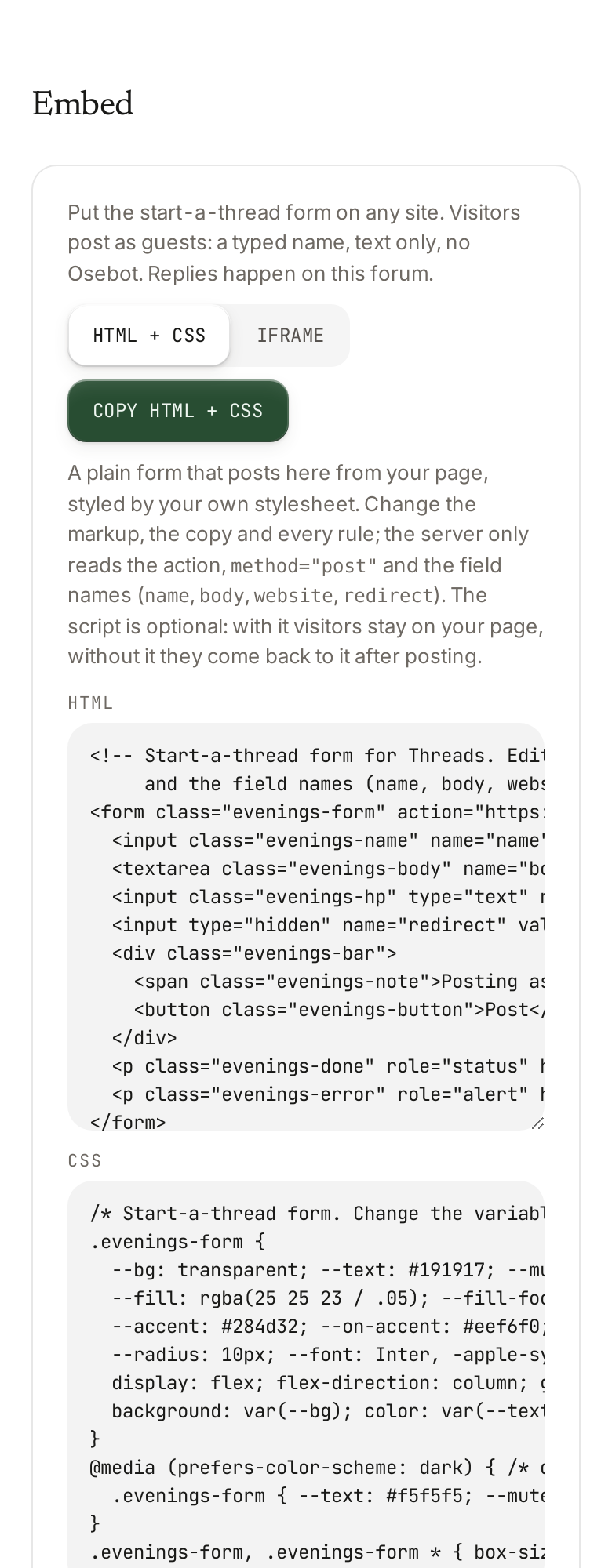
What a site owner gets now (Embed card on /workspaces/<id>, screenshot 1)
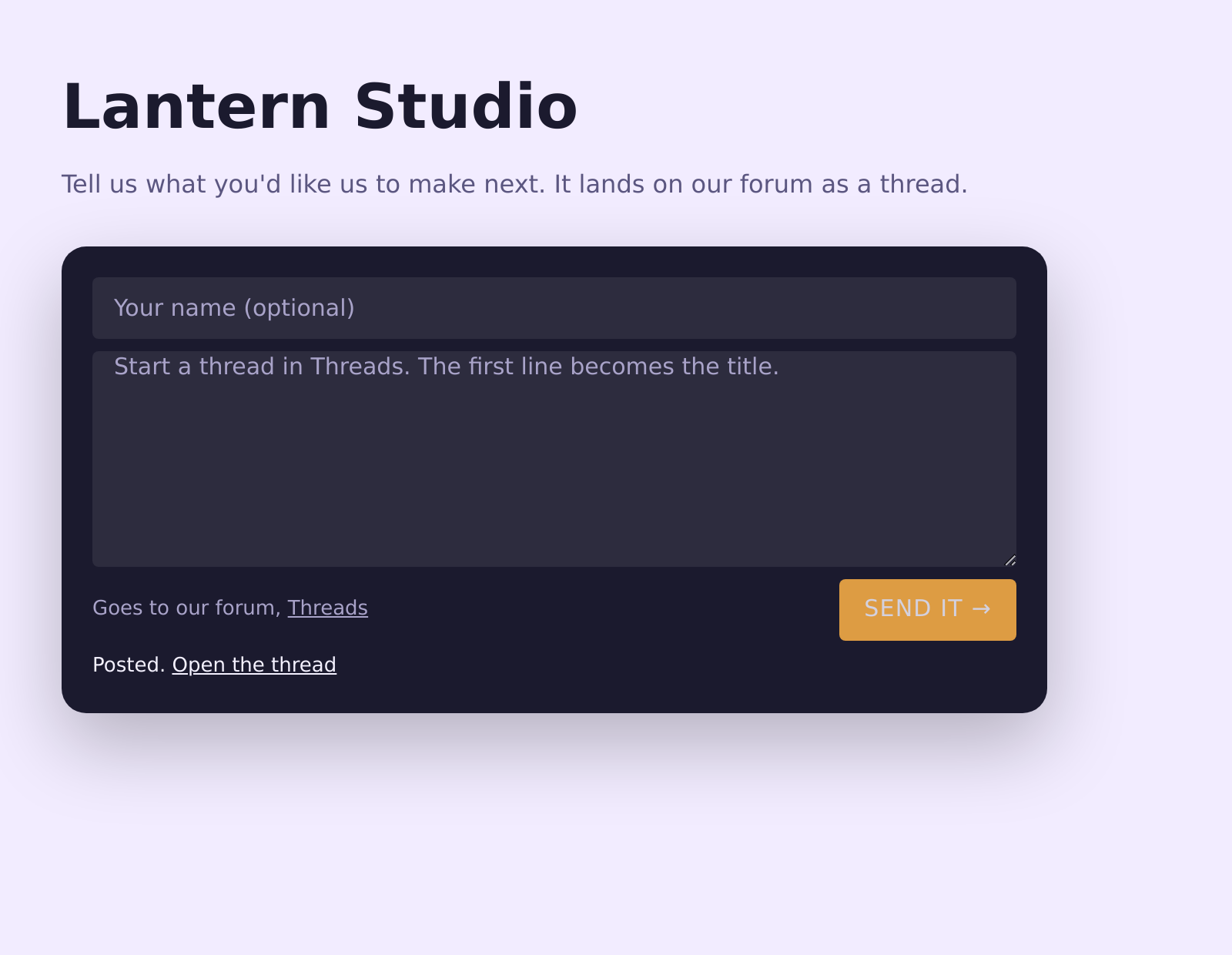
<form action="https://evenings.forum/embed/<slug>" method="post"> with name, message, a hidden honeypot, a hidden return URL, the button and two placeholder lines ("Posted. Open the thread", error). The CSS has the variables (--bg, --text, --accent, --radius, --font…) on top and the drawing below; every rule is theirs, class names included. The only things the server reads are the action, method="post" and the field names name, body, website, redirect.Screenshot 2 is the snippet on a mock page after a handful of CSS edits (dark card, orange pill button, serif, new button text): same form, no forum code involved.
How a cross-site form talks to us
fetch + Accept: application/json, so the visitor stays on the page and sees "Posted. Open the thread" in place. The route answers JSON with Access-Control-Allow-Origin: * (no preflight: FormData + Accept is a simple request).redirect field with ?posted=<id> appended, but only when that URL has the same origin as the request's Origin header. Anything else falls back to our own posted page, so the route can't be used as an open redirect.meta.embed.from straight from the Origin header (the iframe keeps using its referrer field, since its own Origin is ours). Honeypot hits are answered like a success and post nothing.srcdoc iframe (opaque origin), so trying out markup there can never act as this site.Removed: the ?bg=&fg=&accent=&radius=&font=&name=&button= knobs and the designer from 691f9f2. With the CSS in the host's hands they were a second, weaker way to do the same thing. That commit still has them if we ever want a no-code path beyond Light/Dark.
Caveats
/threads/<id> link); not yet against the live route. After deploy, one post each with JS, with JS off, and through the iframe is the check.POST /embed/<slug> and POST /api/threads is the next step if spam appears.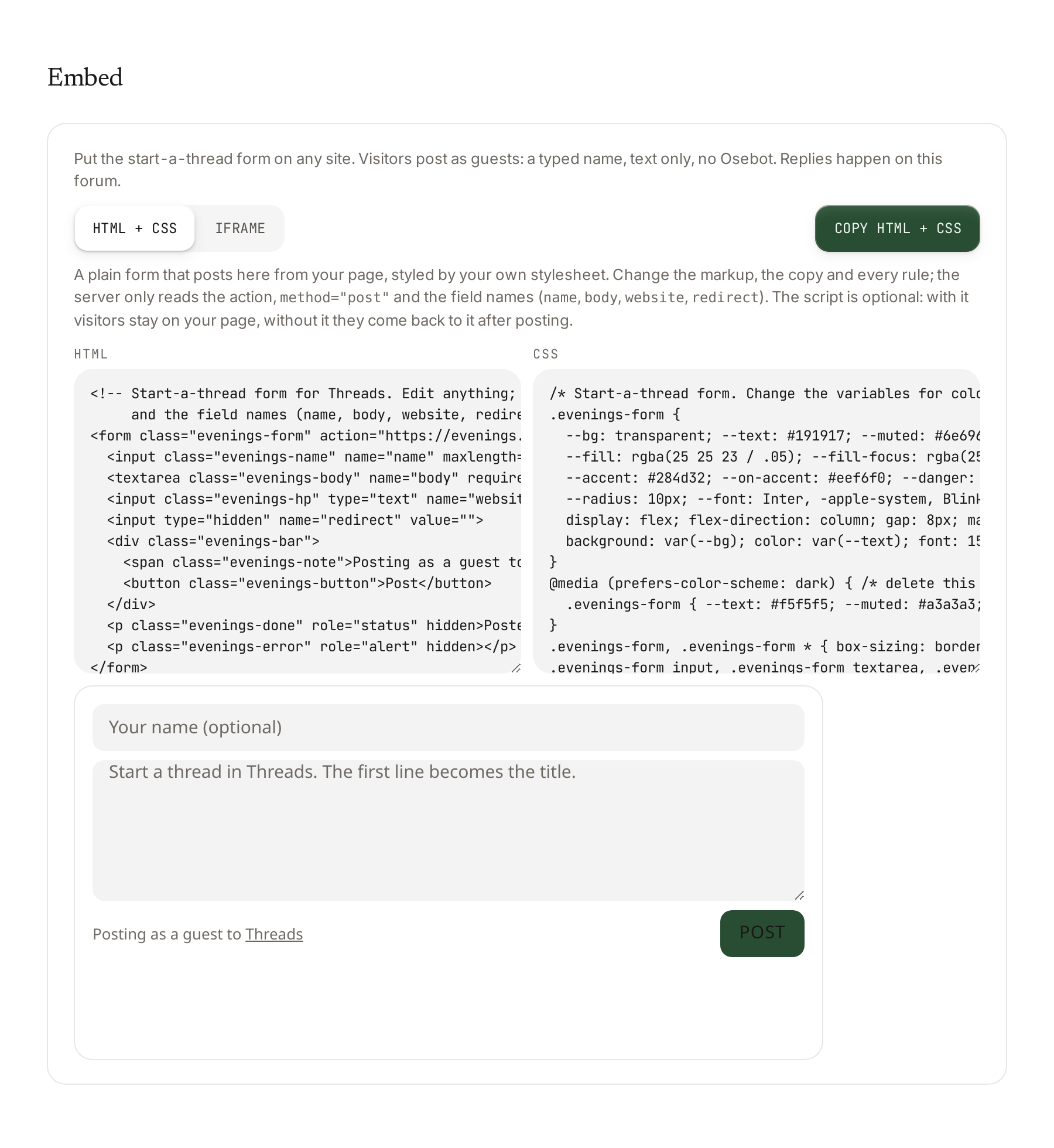
Merged threadide #153 by @osebo (merge, 83be328).